Most React State Doesn't Belong in React
Most of the useState in your codebase is storing things React was never meant to own. A filing cabinet analogy for figuring out where each piece of state actually lives.

I audited a dashboard last year that had 47 useState calls in a single route. Not a huge feature. A filter panel, a table, a details drawer.
The team's diagnosis was "we need a state management library." They were about to add Zustand.
I counted what those 47 pieces of state actually were. Eleven of them were genuinely UI state. The rest were server data, URL parameters, form values, or things that could have been calculated from something else. The problem wasn't that React's state tools were too weak. The problem was that React was being asked to remember things it had no business remembering.
Adding Zustand would have moved the mess somewhere else and made it feel organized.
Here's the thing about useState. It's the first tool you learn, it works for everything, and nothing ever tells you to stop. So it becomes the default answer for every question about where to keep a value. And because it always technically works, the cost shows up later, as bugs that feel unrelated to state at all. Broken back buttons. Filters that reset on refresh. Two components showing different numbers for the same thing. A modal that reopens when the URL changes.
Those aren't state management problems. They're state location problems.

The filing cabinet, the desk, and the note on your hand
Think about how you keep track of things at work.
Some things live in a filing cabinet. Contracts, records, the stuff that's true whether or not you're at your desk today. If your laptop dies, the filing cabinet still has them. You don't memorize a contract. You go look it up.
Some things live on your desk. The document you have open right now, which panel you've expanded, the sticky note about who you're calling next. This stuff is real, but it's yours and it's temporary. Nobody else needs it, and when you go home it's fine if it disappears.
And some things are written on your hand. The room number for a meeting you're walking into. It exists only because you'll need it in the next ten minutes, and it's derived from something more permanent, the calendar invite. You wouldn't file it. You wouldn't build a system for it. You'd just look at the invite again.
React's useState is the desk. That's what it's genuinely good at.
The bug factory is when contracts end up on the desk, and when you write things on your hand that you could have just looked up.
Where state actually lives
There are five homes for state in a typical React app. Only one of them is React.
The server owns your data. Users, orders, products, anything that exists independent of who's looking at it and persists after everyone closes the tab.
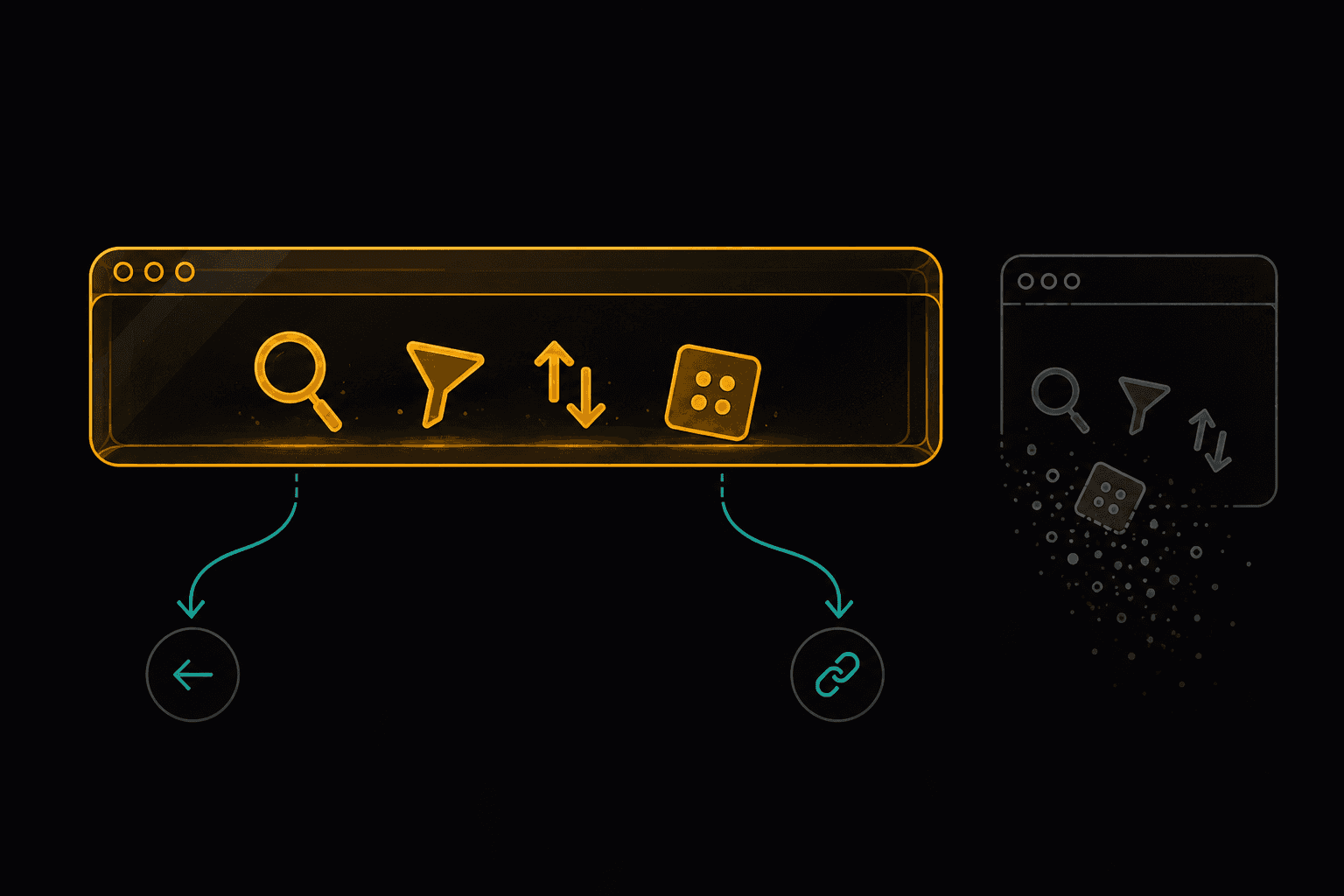
The URL owns navigational state. What page you're on, what you searched, which tab is active, which filters are applied, what page of results you're viewing. Anything that should survive a refresh or be shareable as a link.
The form owns input values while a user is typing. This one's arguable and I'll come back to it, but form state has its own lifecycle that's different from the rest of your UI.
Nothing owns derived state. It gets calculated when you need it. Filtered lists, totals, whether the submit button is enabled, formatted dates.
React owns genuine UI state. Is the dropdown open. Is this row hovered. Which step of the wizard am I on. Things that are about the interface itself and are meaningfully gone when the component unmounts.

The simplest fix first: stop storing derived state
Before you touch any library or any router, do this. It's free and it usually removes a surprising chunk of your state.
Here's the pattern, and once you see it you'll see it everywhere:
// three pieces of state, two of which are lies
const [items, setItems] = useState([]);
const [filtered, setFiltered] = useState([]);
const [total, setTotal] = useState(0);

useEffect(() => {
  const next = items.filter(i => i.active);
  setFiltered(next);
  setTotal(next.reduce((sum, i) => sum + i.price, 0));
}, [items]);
filtered and total aren't state. They're questions with answers that depend entirely on items. Storing them means you now have three things that can disagree with each other, and an effect whose only job is to keep them in sync. That effect is the tell. An effect that exists purely to update state from other state is almost always derived state wearing a costume.
// one piece of state, two answers
const [items, setItems] = useState([]);

const filtered = items.filter(i => i.active);
const total = filtered.reduce((sum, i) => sum + i.price, 0);
Three states became one. The synchronization bug became impossible, not fixed. There's no longer a moment where itemshas updated and total hasn't.
"But isn't that recalculating on every render?" Yes. For a list of a few hundred items doing a filter and a sum, that's work you will not be able to measure. If you have profiled it and it's genuinely a problem, useMemo exists. Profile first. I have watched people add useMemo to a five-item array and then wonder why their code has gotten harder to read.
The single question that catches this: can I calculate this from something else I already have? If yes, calculate it. Don't store it.
The next simplest: let the URL hold navigational state
This is the one with the biggest payoff for the least work, and it's the one most codebases get wrong.
function ProductList() {
  const [search, setSearch] = useState('');
  const [category, setCategory] = useState('all');
  const [page, setPage] = useState(1);
  const [sort, setSort] = useState('newest');
}
Reasonable-looking code. Now here's what your users experience.
They filter to "electronics," sort by price, get to page three, click a product, hit back. Everything's gone. They're on page one of everything, unsorted.
They find the exact thing they were looking for and want to send it to a friend. They copy the URL. Their friend gets an unfiltered list.
They refresh because something looked stale. Their work is gone.
None of those read as state bugs to a user. They read as "this site is broken."
The fix is to keep it in the URL, where this kind of state has belonged the entire time:
// Next.js App Router
function ProductList() {
  const searchParams = useSearchParams();
  const router = useRouter();
  const pathname = usePathname();

  const search = searchParams.get('search') ?? '';
  const category = searchParams.get('category') ?? 'all';
  const page = Number(searchParams.get('page') ?? 1);

  function setParam(key, value) {
    const params = new URLSearchParams(searchParams);

    if (value === null || value === undefined || value === '') {
      params.delete(key);
    } else {
      params.set(key, String(value));
    }

    // changing a filter should send you back to page one,
    // otherwise you land on page 3 of a result set that has 2 pages
    if (key !== 'page') params.delete('page');

    const query = params.toString();
    router.push(query ? `${pathname}?${query}` : pathname);
  }
}
Two details in there that are easy to get wrong. Checking value === '' rather than if (value) matters the moment you pass a number, because if (0) is falsy and would delete the param instead of setting it. And resetting page whenever any other filter changes prevents the classic bug where you filter down to three results while still sitting on page three.
One Next.js specific gotcha: useSearchParams() opts the route out of static rendering, and in the App Router a build will fail with a "should be wrapped in a suspense boundary" error unless the component reading it sits inside a <Suspense>boundary. Wrap the component, not the whole page, so the rest of the route can still render while the params resolve.
More lines. Also: the back button works, refresh preserves everything, links are shareable, and the state is debuggable by looking at the address bar. You didn't add a library. You used the one your browser has shipped since the beginning of the web.
The question here: should this survive a refresh, or be shareable as a link? If yes, it's URL state.
One caveat worth knowing before you go convert everything. router.push on every keystroke of a search box will spam history entries and make the back button useless in the other direction, and each push triggers a server round trip for server components. Debounce the update, and use router.replace for high-frequency changes while saving push for deliberate ones like changing pages.
For the fastest case there's now a third option. Next.js supports window.history.pushState and replaceState directly for shallow URL updates, which changes the address bar without re-running server components at all. That's the right tool for something like a search input where you want the URL to track what's typed but you don't want a network round trip for every character. This is a real tradeoff, not a footnote.
Server data is not your state
This is the most common category and the one that causes the most pain, because on the surface the naive version looks fine.
function Orders() {
  const [orders, setOrders] = useState([]);
  const [loading, setLoading] = useState(true);
  const [error, setError] = useState(null);

  useEffect(() => {
    fetch('/api/orders')
      .then(r => r.json())
      .then(data => { setOrders(data); setLoading(false); })
      .catch(e => { setError(e); setLoading(false); });
  }, []);
}
Every React developer has written this. It works, right up until it doesn't.
What's missing isn't obvious from looking at it. There's no caching, so navigating away and back refetches everything from scratch. There's no deduplication, so if three components need orders you make three requests. There's no revalidation, so the data goes stale and stays stale. There's no request cancellation, so if the component unmounts mid-flight you may set state on a dead component, and if the params change quickly an older response can land after a newer one and overwrite it. There's no retry. And you've hand-rolled loading and error states that you will hand-roll again in every other component that fetches something.
The framing that helps: server data isn't state, it's a cache. You're not the owner. You're holding a local copy of something that lives somewhere else and can change without telling you. Once you think of it as a cache, the questions change from "where do I store this" to "how long is this good for, and when should I check again."
Tools built for this include TanStack Query, SWR, RTK Query, Apollo for GraphQL, and increasingly the framework itself. In Next.js App Router you can fetch in a server component and skip client-side caching for a lot of cases. In Remix, loaders handle it. Convex and similar reactive backends push updates to you, so the cache invalidation question mostly evaporates.
To be fair to the manual version: for a single fetch on a page that doesn't need caching, revalidation, or sharing, useEffect and useState are genuinely fine, and reaching for a library is overkill. The problem isn't one fetch. It's the fifteenth one, each with its own slightly different loading and error handling.
The question: does this data live on a server and could it change without my app knowing? If yes, it's a cache, and you want caching semantics.
Form state, honestly
Form state genuinely sits in an awkward middle, and I want to give you the actual spectrum instead of pretending there's one answer.
The simplest option is uncontrolled inputs. Let the DOM hold the values and read them on submit with FormData. Zero state, zero re-renders while typing, works with native validation. For a login form or a contact form this is often the right call and it's the option people skip past fastest.
function ContactForm() {
  function handleSubmit(e) {
    e.preventDefault();
    const data = Object.fromEntries(new FormData(e.currentTarget));
    submit(data);
  }
  return (
    <form onSubmit={handleSubmit}>
      <input name="email" type="email" required />
      <textarea name="message" required />
      <button>Send</button>
    </form>
  );
}
The next step up is controlled inputs with local state, which you want when the UI reacts to values as they're typed: live character counts, dependent fields, inline validation as you go.
Beyond that, form libraries like React Hook Form, TanStack Form, or Formik earn their weight on complex forms, because they isolate re-renders per field and handle validation, arrays, and nested structures properly. React Hook Form specifically leans on uncontrolled inputs under the hood, which is why it re-renders so little.
And in Next.js, server actions with useActionState move a lot of form handling to the server and reduce client state to almost nothing.
The mistake isn't picking the wrong one. It's jumping to a library for a two-field form, or hand-rolling a twelve-field form with dependent validation using twelve useState calls.
Things nobody talks about
Here's the part I'd have wanted when I was making these mistakes. These are the edges where the neat categories get complicated.
State that belongs in two places at once. A search box needs to feel instant while typing, but the URL shouldn't update on every keystroke. So you legitimately need both: local state for the input value, URL state as the debounced source of truth. This isn't a violation of the rules, it's the correct pattern, and it confuses people because it looks like duplication. The distinction is which one is authoritative. Local state is a draft; the URL is the commit.
The back button will find your bugs. If you keep modal open/closed state in useState and the modal represents a meaningful place in your app, the back button won't close it, and on mobile that's genuinely infuriating because back is the universal escape gesture. Some modals belong in the URL. A confirmation dialog doesn't. An image lightbox on a gallery probably does. There's no rule, but "would a user expect back to close this" is a good test.
Derived state with an escape hatch. Sometimes a value starts as derived and then a user can override it. Shipping cost is calculated from address, unless the user picks express. If you model this as pure derivation you can't represent the override, and if you model it as pure state it drifts from the address. The pattern that works is storing the override as its own nullable value and falling back to the calculation when it's null, rather than initializing state from a prop and hoping.
useState initialized from props is a trap. useState(props.value) runs once. When the prop changes, your state silently doesn't. Then someone adds a useEffect to sync them and now you have two sources of truth and a render cycle in between. Either derive it, or lift it, or give the component a key so it genuinely remounts when the identity changes. The key trick is underused and often the cleanest of the three.
Two components can disagree. If two sibling components each useState the same server data, they will drift, and it'll present as "the badge says 3 but the list shows 4." This is the specific bug that makes people believe they need a global store. Often they just needed a shared cache, which is what a query library gives you.
Context isn't state management, and it isn't free. Context is a delivery mechanism. Putting frequently-changing state in a context that wraps your app means every consumer re-renders on every change, and that's a real performance issue that people discover late. Split contexts by update frequency, or keep fast-changing values out of context entirely.
Global stores are still legitimate. After all of the above, there's real client state that's genuinely global and genuinely not server data or URL data. Theme. Sidebar collapsed. A multi-step wizard spanning routes. An offline queue of pending actions. Zustand, Jotai, Redux, and XState all earn their place here. The point of this article isn't that stores are bad. It's that most of what people put in them was never client state in the first place, and a store full of cached server data is a cache you wrote by hand and have to invalidate by hand.
The audit
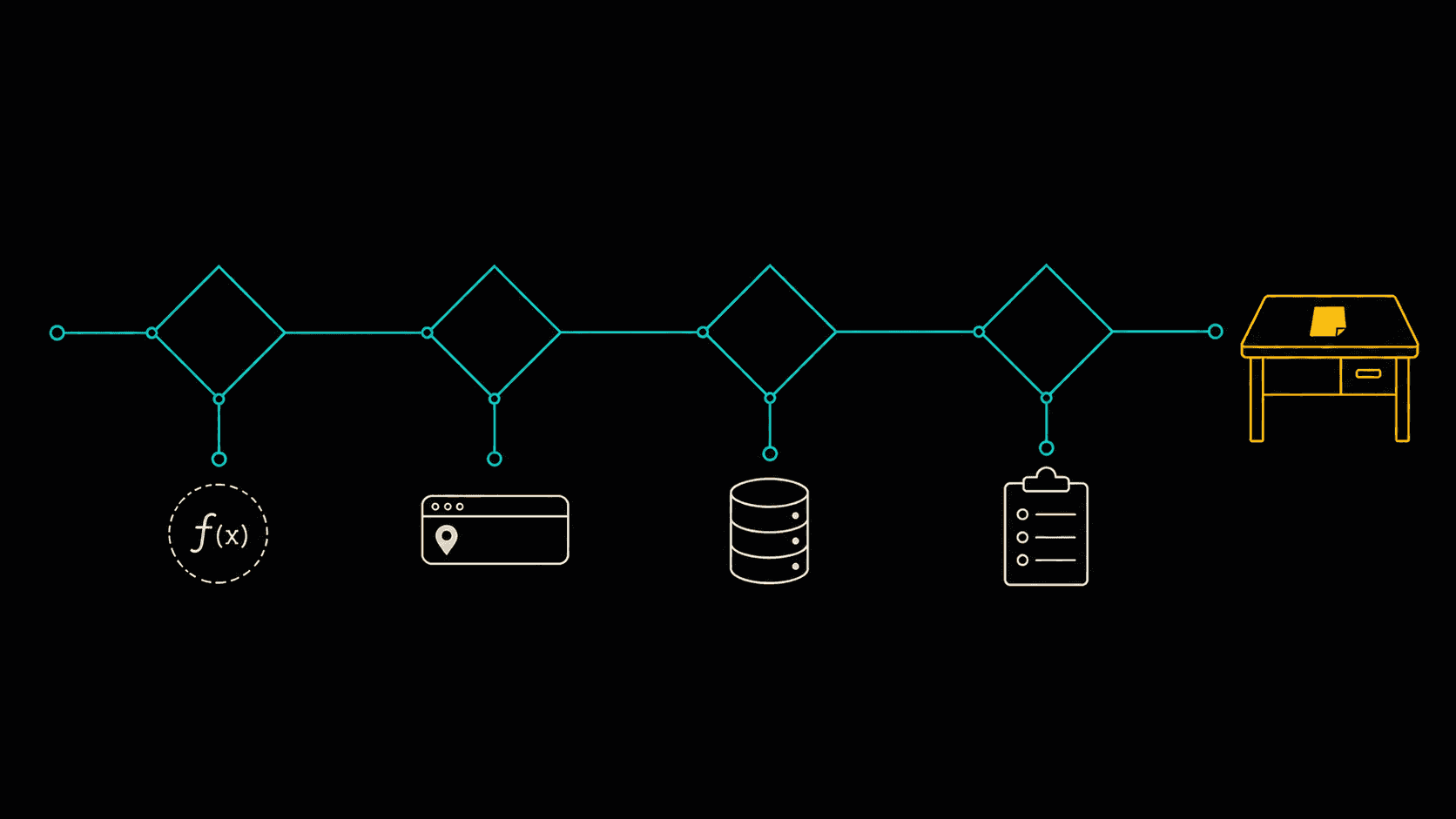
Take a component you don't like working on. For each piece of state, ask in order:
Can I calculate this from something I already have? Then delete it and calculate it.
Should this survive a refresh or be shareable? Then it's URL state.
Does this live on a server? Then it's a cache, and it wants caching semantics, not useState.
Is this a form value? Then pick from the spectrum above based on how complex the form actually is.
Is it none of those? Then congratulations, it's genuinely React state, and useState is exactly right.
That dashboard with 47 useState calls ended up with 11. No new library. The filters went in the URL, the data went into a query cache, and about a dozen values turned out to be arithmetic.
The back button started working, which nobody had asked for and everybody noticed.
Wise Coding Weekly
Weekly visual explainers of frontend concepts.